
See it before you export
Choose a layout, see the actual pages and adjust the photos with touch gestures. Portrait and landscape guidance helps you find the right fit.
Before & after reports · iPhone + Android
Before. After. Professionally presented.
Turn the work you do into results people can see. Create professional reports and Social Cards, with your photos and your brand.
Free to download · Optional Coret Pro subscription
Explore the examples
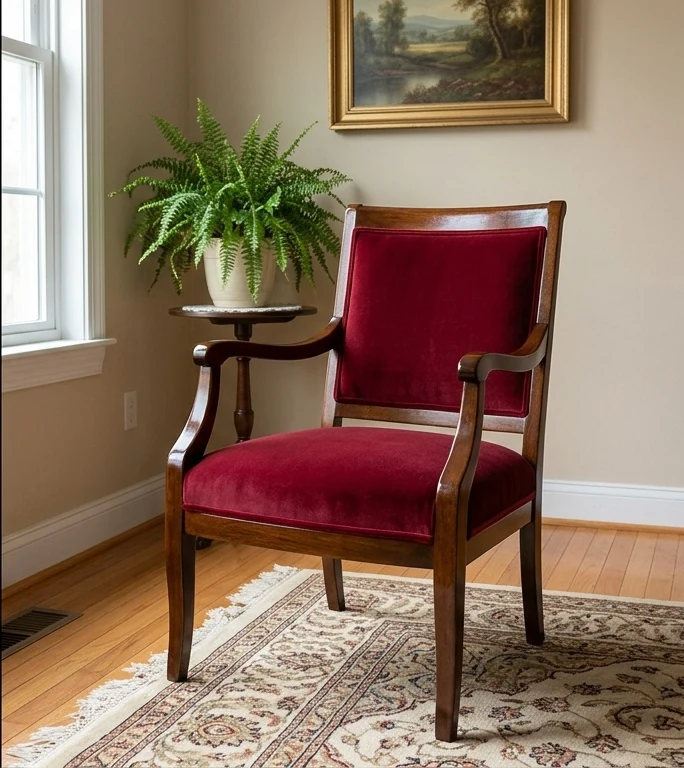 BeforeAfter
Chair restoration · Coret Visuals template gallery
Coming in version 1.1.0
A guided workflow, a preview that follows your choices, and more ways to deliver your work.
Choose a layout, see the actual pages and adjust the photos with touch gestures. Portrait and landscape guidance helps you find the right fit.
Export a selected report page as a high-resolution PNG. Save or share it, or choose a PDF or Social Card for another presentation.
English, Portuguese, Spanish, French and German. Choose the app language and the report language separately.
Made in Coret Visuals
Professional reports and Social Cards created directly from your before-and-after transformations.
Examples in English
Coret 1.1.0 · Sample report in English · A4
Coret 1.1.0 · Sample report in English · A4
Coret 1.1.0 · Sample report in English · A4
Coret 1.1.0 · Sample report in English · A4
Coret 1.1.0 · Sample report in English · A4
Coret 1.1.0 · Sample report in English · A4
Coret 1.1.0 · Sample report in English · A4
Coret 1.1.0 · Sample report in English · A4
Coret 1.1.0 · Sample report in English · A4
Coret 1.1.0 · Sample report in English · A4
The same transformation, formatted for the paper your work needs. Examples created in Coret Visuals with demonstration content.
English examples
English examples
Document clearly.Keep the transformation in focus.
Present professionally.Give your work a consistent presentation.
Share the result.With clients and audiences.
Made for visual work
A professional before-and-after reporting and visual presentation app for businesses and professionals.
Combine before and after photos into professional reports, with details for each transformation.
Create polished documents in Letter or A4 format, ready to share with your clients.
Turn your transformations into shareable visual cards in a choice of formats.
Adjust crop, zoom, and positioning for each image to show the details that matter.
Nine report layouts. Start with Classic Minimalist on Free, or use all nine with Coret Pro.
Add your company information and logo to make reports your own.
English, Portuguese and Spanish. Version 1.1.0 adds French and German for the interface and report labels. Your own text is not automatically translated.
Coming in 1.1.0 · guided creation
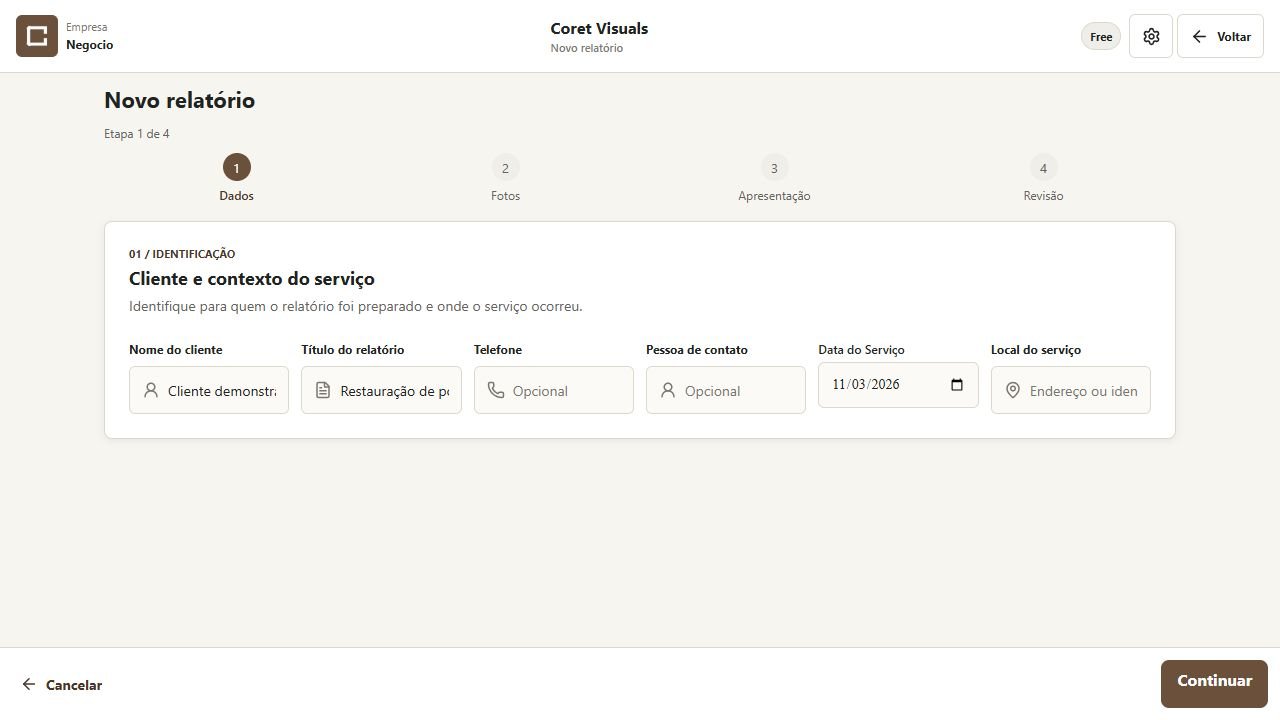
Add the client, job details and the language of your report.
Bring the Before and After photos together. Add as many transformations as your report needs.
Choose the layout and A4 or Letter paper first. Then adjust each photo with touch gestures and a live page preview.
Check the result, save your report and choose PDF, page images or a Social Card.
Coming in version 1.1.0
Manual backup and restore in 1.1.0, included in Free and Pro. Keep your reports, photos, clients, business details and saved preferences together in one file.
Save the file somewhere private, outside your device. Backups are manual and not password-protected. Restoring replaces local data; it does not restore or transfer your subscription.
How backup works →Free & Coret Pro
Plan comparison for 1.1.0 · coming soon. See Support for the current 1.0.0 rules.
For getting started with professional visual reports.
For a regular flow of reports and transformations.
In 1.1.0, the first final export counts one new report, shared across PDF, PNG and Social Cards. Re-exporting that report and correcting text or framing do not use another unit. Each report includes one photo or client correction, used when the corrected version is exported; later changes require a new report. Pro requires an active subscription. Storage and technical limits apply. Learn about plans and subscriptions.
In 1.1.0, repeated preview marks stay on screen. Free PDFs and page images retain only the small footer credit; Free Social Cards retain Coret branding. Pro removes Coret branding from new exports.
Who it is for
And any business that documents visual transformations.
Turn your before-and-after work into professional visual documentation.